
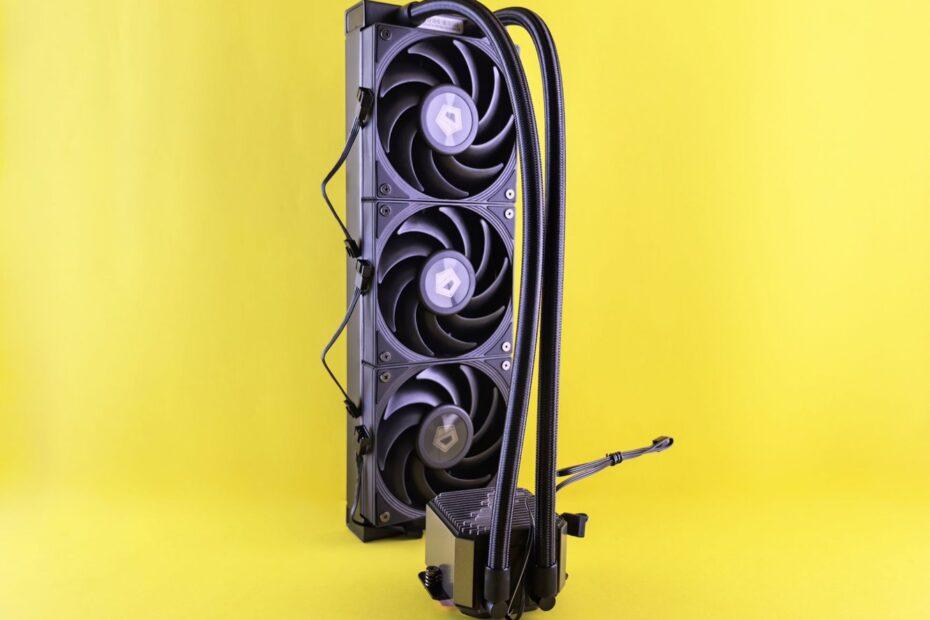
Maintaining optimal operating temperatures is fundamental to the performance, stability, and lifespan of any computer system. Central to this thermal management are the various types of cooling fans, each designed with specific roles to play within a PC build. While the concept of a fan is simple – moving air – the application in computer hardware, particularly for radiators and cases, involves distinct designs and purposes. Understanding these differences is key to building an efficient and quiet system.
The Role of Radiator Fans
Radiator fans are specifically engineered to work in conjunction with a liquid cooling system's radiator. A radiator's primary function is to dissipate heat from the liquid coolant that has absorbed warmth from components like the CPU or GPU. The radiator itself is a network of fins and tubes designed to maximize surface area for heat exchange with the surrounding air. Radiator fans are mounted directly onto the radiator, their sole mission being to force or pull air through these dense fin stacks. This airflow is critical; without it, the coolant would not cool down effectively, leading to component overheating. The excerpt from Wikipedia on radiator cooling notes that a fan is used to draw cool air through the radiator, a principle directly applicable to PC liquid cooling systems.
Key characteristics of radiator fans include high static pressure. Static pressure is the fan's ability to push air through resistance, such as the dense fins of a radiator or a dust filter. Fans designed for radiators typically have a higher blade count and a more rigid frame to minimize vibration and maximize airflow efficiency under pressure. They often spin at higher RPMs (revolutions per minute) to generate the necessary airflow, though this can sometimes come at the cost of increased noise. Formats like 120mm and 140mm are standard, with performance varying based on blade design, motor, and RPM range.
Understanding Case Fans
Case fans, in contrast, are responsible for the overall ambient temperature within the computer chassis. Their role is to facilitate airflow throughout the entire system, ensuring that hot air generated by components is expelled and replaced with cooler ambient air. This creates a consistent thermal environment, preventing heat from building up within the confined space of the case. Effective case airflow is often achieved through a strategic balance of intake and exhaust fans.
Intake fans, typically mounted at the front or bottom of the case, draw cooler air from outside the chassis. Exhaust fans, usually found at the rear or top, expel the heated air. Unlike radiator fans, case fans are not typically subjected to high resistance. Therefore, they are often optimized for high airflow volume (measured in CFM – cubic feet per minute) rather than static pressure. While static pressure is still a factor, the priority is moving a large volume of air efficiently. Case fans come in various sizes, with 120mm and 140mm being prevalent, and are available in a wide array of designs, colors, and noise profiles to suit aesthetic preferences and acoustic requirements.
Key Differences and Considerations
The fundamental distinction lies in their primary objective: radiator fans focus on pushing air through a high-resistance radiator to cool liquid, prioritizing static pressure. Case fans focus on general air circulation within the chassis, prioritizing airflow volume. When selecting fans, consider the specific application. For liquid coolers (AIOs or custom loops), high static pressure fans are paramount for the radiator. For general case ventilation, fans optimized for high CFM are usually more appropriate. Some fans are designed as hybrid solutions, offering a balance between static pressure and airflow, which can be versatile for certain builds or specific fan mounting locations.
Beyond static pressure and airflow, other factors include noise level (often related to RPM and bearing type), durability, power connectors (3-pin or 4-pin PWM for speed control), and aesthetics. PWM (Pulse Width Modulation) fans allow for finer control over fan speed based on system temperature, offering a quieter experience when the system is under light load and maximum cooling when needed. Making informed choices about these cooling fans contributes significantly to a stable, high-performing, and enjoyable computing experience.
Related reading
- Optimizing Your PC’s Airflow for Superior Cooling Performance
- Building a Silent PC: Strategies for Minimizing Noise from Components and Fans