
In an era where personal computers serve as central hubs for work, entertainment, and creativity, the audible hum of machinery can become a persistent distraction. For many, the pursuit of a tranquil workspace or a peaceful entertainment setup leads to the desire for a silent or near-silent PC. Fortunately, achieving this goal is well within reach through careful planning and strategic component selection. Building a Silent PC involves understanding the primary sources of noise and implementing targeted solutions.
Identifying Noise Sources in a PC
Before embarking on the quest for silence, it is crucial to identify where PC noise originates. The most common culprits are moving parts, primarily fans and hard disk drives. Fans, essential for cooling, generate noise through air turbulence and motor operation. The faster they spin, the louder they become. Traditional mechanical hard disk drives (HDDs) produce distinct clicking and whirring sounds as their platters and read/write heads operate. Beyond these, other less common but noticeable noise sources can include coil whine from graphics cards or power supply units, vibrations transmitted through the PC case, and even the sound of optical drives during use.
Fan Selection and Management for Quiet Operation
Fans are indispensable for maintaining optimal component temperatures, but they are also a major contributor to PC noise. When Building a Silent PC, fan selection is paramount. Opt for fans specifically designed for low noise operation, often characterized by larger diameters (e.g., 140mm or 120mm) which can move more air at lower revolutions per minute (RPM). Look for fans with fluid dynamic bearings (FDB) or magnetic levitation bearings, as these generally offer quieter and more durable operation compared to sleeve or ball bearings. The fan controller, whether built into the motherboard or a separate unit, plays a vital role. Utilizing PWM (Pulse Width Modulation) fans allows for precise speed control, enabling them to spin slower and quieter when system load is low. Configuring fan curves in the BIOS or through software to ramp up speeds only when necessary is a fundamental step.
Choosing Quiet Components
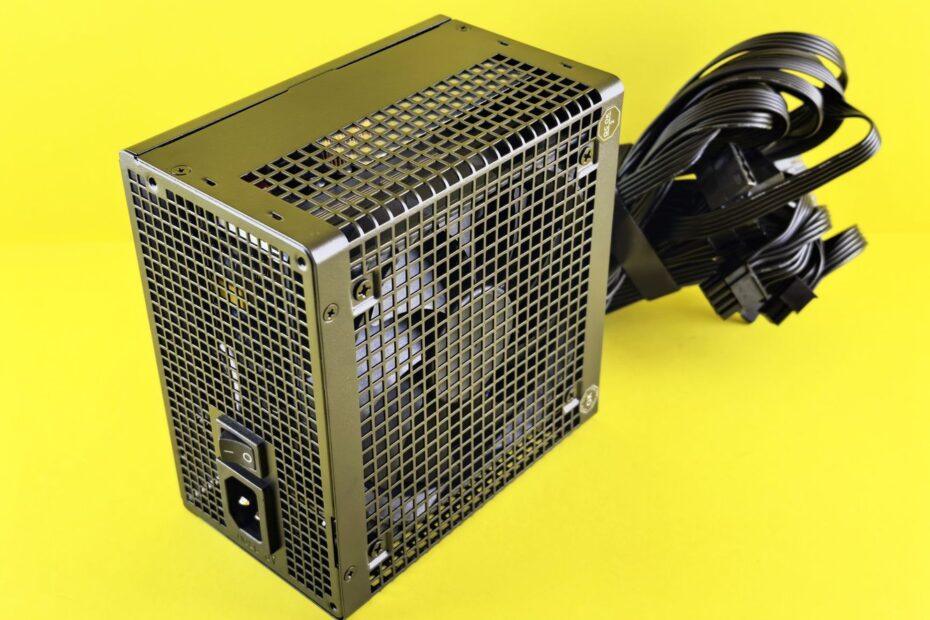
Beyond fans, other components can also be sources of noise. For storage, consider Solid State Drives (SSDs) over traditional HDDs. SSDs have no moving parts, making them completely silent. If bulk storage is necessary, a single, larger HDD might be quieter than multiple smaller ones, and isolating it with rubber grommets or a dedicated drive bay can further dampen vibrations. When selecting a CPU cooler, opt for models with large heatsinks and low-RPM fans. Many aftermarket CPU coolers offer significantly quieter performance than stock coolers. Similarly, power supply units (PSUs) can generate noise from their internal fans. Look for PSUs with a 'semi-passive' or 'fanless' mode, where the fan remains off under low to moderate loads.
Case Design and Sound Dampening
The computer case itself plays a critical role in noise management. Cases designed with silence in mind often feature solid, thick panels, fewer ventilation openings, and dedicated sound-dampening materials (like foam or rubber) applied to the interior surfaces. The structural integrity of the case is also important; a rigid case is less prone to vibrating and resonating with internal component noise. Furthermore, careful cable management can improve airflow, allowing fans to spin slower. Using rubber grommets or specialized mounts for components like HDDs and the motherboard can decouple them from the case, preventing vibration transfer and reducing overall noise.
Optimizing Airflow and Component Placement
Effective cooling is essential, but it doesn't have to be loud. A well-designed airflow path ensures that components receive adequate cooling without requiring fans to operate at high speeds. This means strategically placing intake and exhaust fans to create a smooth, unimpeded flow of air through the case. Avoid obstructing fan intakes or exhausts with cables or other components. Component placement within the case can also influence noise. For instance, positioning a noisy graphics card away from the primary listening position can make its noise less noticeable. Ensuring all components are securely mounted and free from loose screws or panels also prevents rattling.
By systematically addressing fan speeds, component choices, case acoustics, and airflow, Building a Silent PC is an achievable and rewarding project for any user seeking a more peaceful computing experience.
Related reading
- Exploring the World of Computer Fans: Airflow, Static Pressure, and Noise Levels
- Understanding the Different Types of Cooling Fans for Radiators and Cases
- Cooling Your Components: Air vs. Liquid Cooling Solutions for Optimal PC Temperatures