
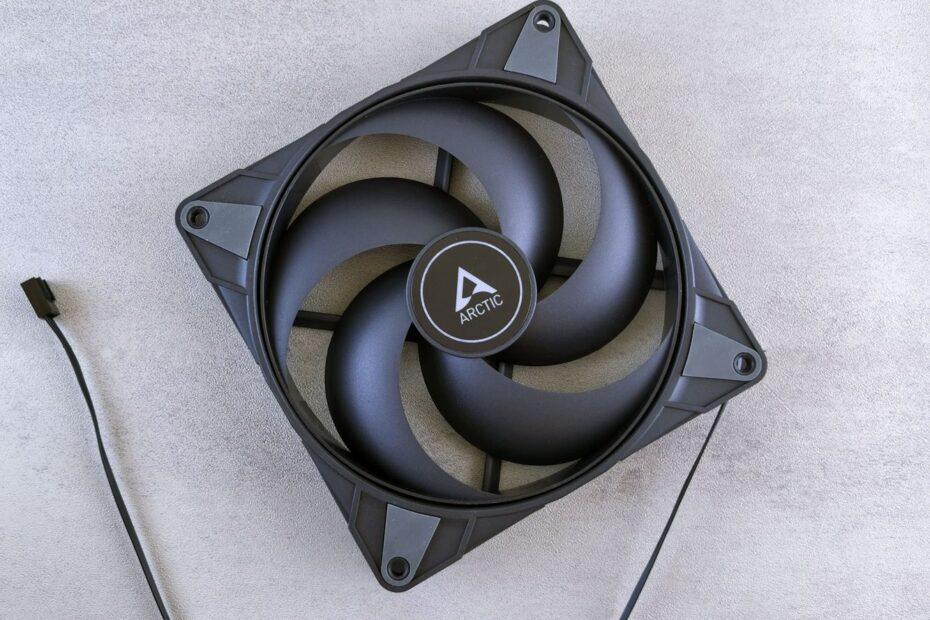
Within the intricate ecosystem of a computer, the humble fan plays a pivotal role in maintaining optimal operating temperatures. These devices, often overlooked, are crucial for dissipating heat generated by high-performance components like the CPU, GPU, and power supply. Understanding the core metrics associated with computer fans is key to building an efficient and quiet system. This exploration delves into airflow, static pressure, and noise levels, providing practical insights for enthusiasts and general users alike.
Understanding Airflow: The Volume of Air Moved
Airflow, typically measured in Cubic Feet per Minute (CFM), quantifies the volume of air a fan can move over a given period. A higher CFM generally indicates a fan's capacity to move more air. In the context of PC cooling, this translates to a greater potential for exhausting hot air from the case and drawing cooler air in. However, simply having a high CFM rating does not guarantee superior cooling performance in all scenarios. The effectiveness of airflow is heavily influenced by other factors, including the overall design of the computer case, the presence of obstructions, and the fan's intended application.
Poor airflow, often exacerbated by internal cable clutter or incorrectly oriented fans, can lead to localized pockets of hot air and reduce the fan's efficiency. This turbulence, caused by friction against impeding components, can diminish the intended cooling effect. For desktop and notebook computers, thermal throttling, a mechanism to protect components from overheating, is frequently managed at the BIOS level, reducing performance to lower temperatures. Therefore, while CFM is an important metric, it is best considered alongside how well the fan can deliver that air where it is needed most.
Static Pressure: Pushing Air Through Resistance
Static pressure is another critical specification, particularly important for fans that need to push air through restrictive obstacles. These obstacles can include dense heatsinks, radiators, or even the narrow grilles and filters found on many computer cases. Static pressure, often measured in millimeters of water (mmH2O), indicates a fan's ability to overcome resistance and force air through these impediments. Fans designed with higher static pressure typically have more rigid blades and a motor engineered to generate greater force.
For instance, a fan intended for a CPU cooler's heatsink or a liquid cooling radiator needs robust static pressure capabilities. These components present significant resistance to airflow. A fan with low static pressure might struggle to push sufficient air through the dense fins of a heatsink, rendering its high CFM rating less impactful. Conversely, a fan optimized for high static pressure may not be the most efficient for simply moving air across an open case interior, where high CFM is more advantageous.
Noise Levels: The Acoustic Footprint
The acoustic output of computer fans, measured in decibels (dB), is a significant consideration for many users, especially those who spend extended periods near their systems or are sensitive to noise. Fan noise is a byproduct of air movement and the mechanical operation of the fan motor. Higher fan speeds, which generally correlate with increased airflow and static pressure, also tend to produce more noise.
Manufacturers often provide noise level specifications at various fan speeds. Some fans are specifically engineered for quiet operation, utilizing features like fluid dynamic bearings, optimized blade designs, and lower maximum RPMs. Balancing cooling performance with acceptable noise levels is a common challenge in PC building. Users often seek a middle ground, selecting fans that offer adequate thermal management without becoming a distracting presence. Tools like fan controllers or motherboard fan headers allow for dynamic speed adjustments, enabling quieter operation during low-load tasks and increased cooling when performance demands it.
Choosing the Right Fan for Your Needs
Selecting the appropriate computer fans involves evaluating the specific requirements of your system. For general case ventilation where air moves freely, fans prioritizing high CFM might be suitable. However, for components requiring direct cooling through restrictive mediums like radiators or dense heatsinks, fans with high static pressure are essential. Noise levels should also be a primary factor, especially for workstations, gaming rigs, or home theater PCs where acoustics matter. Often, a combination of fan types is used within a single system to address the diverse cooling needs and resistance levels presented by different components and case configurations. By carefully considering airflow, static pressure, and noise, users can optimize their PC's thermal performance and create a more pleasant computing environment.
Related reading