
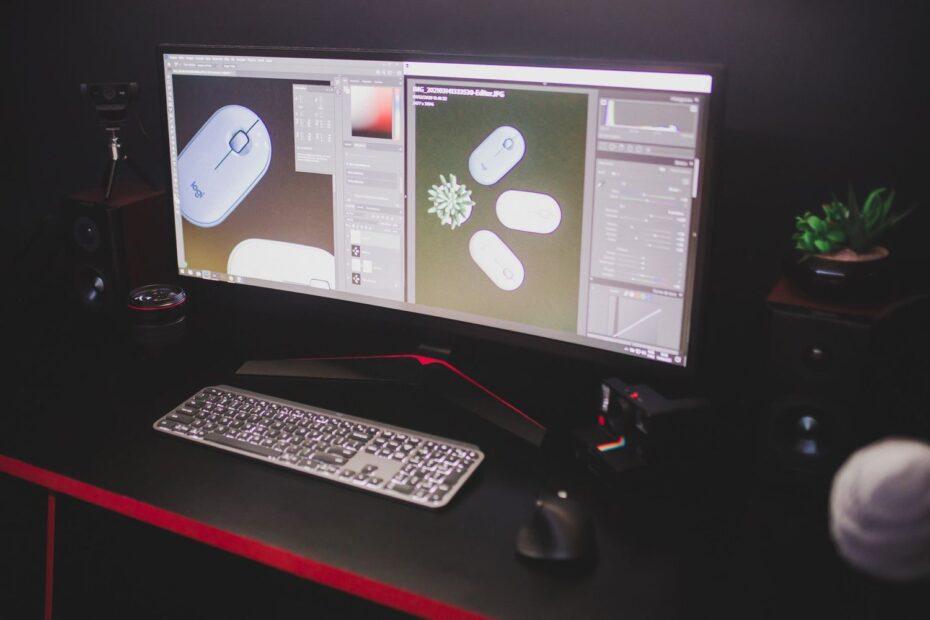
When assembling a new gaming PC or upgrading an existing one, the synergy between your graphics card and your monitor is paramount for an immersive and high-performance experience. A powerful graphics card can render stunning visuals at high frame rates, but without a capable monitor to display them, those capabilities might be underutilized. Understanding how these two components interact is key to making an informed purchase.
Understanding Key Monitor Specifications
Several specifications directly impact how well a monitor performs with a given graphics card and how it serves your gaming needs. Resolution, refresh rate, and response time are among the most critical.
Resolution
Resolution dictates the number of pixels on the screen, directly affecting image sharpness and detail. Common resolutions include Full HD (1920×1080), Quad HD or 1440p (2560×1440), and 4K or 2160p (3840×2160). Higher resolutions offer more detail but demand significantly more processing power from your graphics card. A mid-range or high-end graphics card is generally recommended for 1440p or 4K gaming to maintain acceptable frame rates.
Refresh Rate
Measured in Hertz (Hz), the refresh rate indicates how many times per second the monitor updates the image. Standard monitors typically refresh at 60Hz. For gaming, higher refresh rates like 120Hz, 144Hz, or even 240Hz provide smoother motion, reduce blur, and offer a more responsive feel, especially in fast-paced games. Your graphics card must be capable of pushing frame rates that match or exceed the monitor's refresh rate to fully benefit from it.
Response Time
Response time, usually measured in milliseconds (ms), refers to how quickly a pixel can change color. Lower response times (e.g., 1ms) are desirable for gaming as they minimize motion blur and ghosting, which are artifacts that can detract from the visual experience during rapid on-screen movements. While crucial for gaming, it's important to balance this with other factors, as extremely low response times can sometimes come at the cost of color accuracy.
Matching Your Monitor to Your Graphics Card
The primary consideration when selecting a monitor is its compatibility and synergy with your graphics card. The goal is to ensure your GPU can drive the monitor effectively at your desired settings.
Graphics Card Power vs. Monitor Demands
A high-end graphics card like an NVIDIA GeForce RTX 4090 or AMD Radeon RX 7900 XTX is capable of rendering games at high resolutions and frame rates. Pairing such a GPU with a 1080p 60Hz monitor would be an inefficient use of its power. Conversely, attempting to play demanding games at 4K on a budget graphics card might result in unplayably low frame rates. For 4K gaming, a powerful graphics card is essential, and a 4K monitor with a refresh rate of 60Hz or higher is appropriate. For 1440p gaming, a strong mid-range to high-end GPU can comfortably drive a 1440p monitor with refresh rates of 144Hz or more. For 1080p gaming, even mid-range graphics cards can achieve very high frame rates, making high refresh rate 1080p monitors an excellent choice for competitive play.
Adaptive Sync Technologies
Technologies like NVIDIA G-Sync and AMD FreeSync are designed to synchronize the monitor's refresh rate with the frame rate output of the graphics card. This eliminates screen tearing and stuttering, providing a smoother, more fluid visual experience. When choosing a monitor, ensure it supports the adaptive sync technology compatible with your graphics card. Most modern monitors offer FreeSync, and many also support G-Sync compatibility, which allows NVIDIA GPUs to work with FreeSync displays.
Considering Your Gaming Needs
Beyond technical specifications, your personal gaming habits and preferences play a significant role.
Game Genres
For fast-paced genres like first-person shooters (FPS) or racing games, high refresh rates and low response times are critical for competitive advantage and visual clarity. For slower-paced genres such as strategy games or role-playing games (RPGs), while smooth motion is still appreciated, resolution and color accuracy might take precedence. A monitor with a high resolution and excellent color reproduction can significantly enhance the visual immersion in these types of games.
Color Accuracy and Panel Type
The panel type (e.g., IPS, VA, TN) affects color reproduction, viewing angles, and contrast. IPS panels generally offer excellent color accuracy and wide viewing angles, making them suitable for both gaming and creative work. VA panels provide deeper blacks and higher contrast ratios, which can be great for cinematic experiences but may suffer from slower response times. TN panels are known for their extremely fast response times but typically have less accurate colors and narrower viewing angles. The choice depends on whether your priority is vibrant colors, deep blacks, or the fastest possible response.
By carefully considering your graphics card's capabilities, the monitor's technical specifications, and your specific gaming requirements, you can select a display that not only looks great but also enhances your overall gaming performance and enjoyment. This thoughtful approach ensures that your hardware works in harmony, delivering the visual fidelity and responsiveness you desire.