
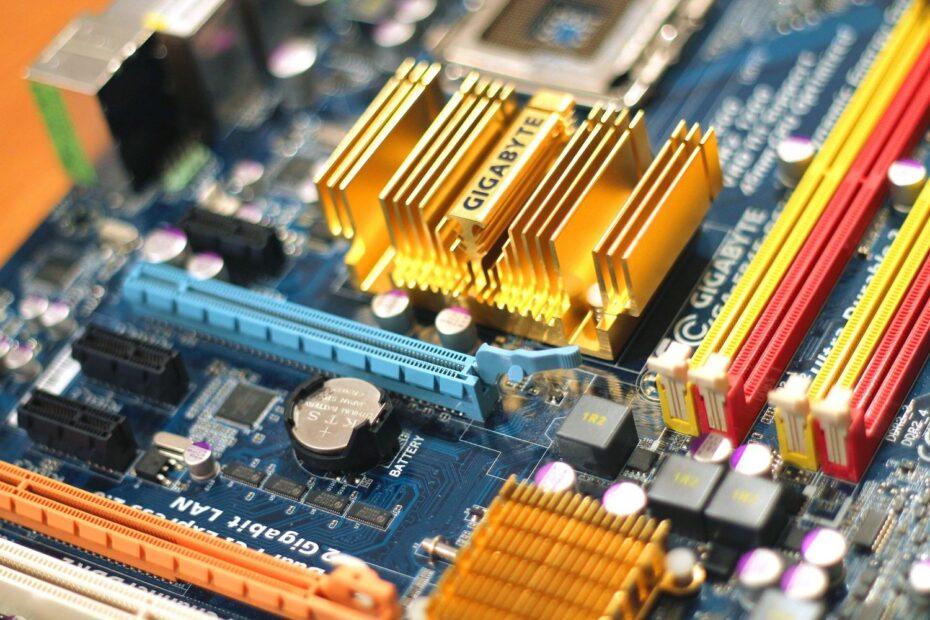
When assembling a new computer or upgrading an existing one, selecting compatible components is essential for a functional and efficient system. Among the most fundamental choices is the central processing unit (CPU), and its connection to the motherboard is dictated by the CPU socket. This small, often overlooked component is the physical interface that allows the CPU to communicate with the rest of the motherboard's circuitry. Understanding different CPU socket types is not just a technical detail; it's a prerequisite for ensuring your chosen processor and motherboard will work together seamlessly.
What is a CPU Socket?
The CPU socket is a connector on the motherboard where the CPU is installed. It provides the mechanical and electrical interface between the processor and the motherboard. Sockets are designed with a specific number and arrangement of pins or contact pads that must precisely match the corresponding pins or pads on the underside of the CPU. This physical compatibility is the first barrier to ensuring proper function. Beyond physical connection, the socket also facilitates the flow of power and data between the CPU and other system components like RAM, storage, and expansion cards.
Why Socket Type Matters for Compatibility
The primary reason socket types are crucial is direct compatibility. A CPU designed for an Intel LGA 1700 socket, for instance, will not fit into an AMD AM5 socket, nor will it function if forced. Manufacturers, primarily Intel and AMD, release new CPU architectures that often require new socket designs to accommodate changes in pin count, pin layout, power delivery, and signaling protocols. Consequently, a motherboard is manufactured with a specific socket type, which in turn determines the range of CPUs it can support. Attempting to use an incompatible CPU can lead to physical damage to both the CPU and the motherboard, rendering the system inoperable.
Common CPU Socket Types and Their Eras
The landscape of CPU sockets has evolved significantly over the years, with both Intel and AMD introducing numerous variations. For modern desktop computing, key socket types include Intel's LGA (Land Grid Array) sockets, such as LGA 1200 (used for 10th and 11th Gen Core processors) and the more recent LGA 1700 (supporting 12th, 13th, and 14th Gen Alder Lake, Raptor Lake, and Raptor Lake Refresh processors). AMD, on the other hand, has historically used PGA (Pin Grid Array) sockets like AM4, known for its longevity and broad compatibility with Ryzen processors from the first to the 5000 series. More recently, AMD transitioned to LGA sockets for its mainstream platform with AM5 (LGA 1718), supporting the Ryzen 7000 series and newer Zen architectures.
Server and high-end desktop (HEDT) platforms often feature different, more robust sockets designed for greater core counts and memory channels. Examples include AMD's sTRX4/sWRX8 for Threadripper processors and Intel's LGA 4189 and LGA 4677 for their Xeon server and workstation CPUs. The specific generation and series of a processor are typically tied to a particular socket, making it essential to check the specifications of both the CPU and the motherboard.
Choosing the Right Motherboard
When selecting a motherboard, the CPU socket type is the first and most critical specification to match with your intended CPU. Motherboard manufacturers clearly label the socket type on their product pages and packaging. Beyond the socket, other factors like chipset compatibility, RAM support (DDR4 vs. DDR5), form factor (ATX, Micro-ATX, Mini-ITX), and features (Wi-Fi, USB ports, M.2 slots) also play a role in the overall system build. However, without the correct CPU socket, none of these other features will matter. Always verify that the motherboard's socket type is compatible with the CPU you plan to install. Resources like CPU manufacturer websites and reputable PC component retailers provide compatibility lists that can be invaluable.
Conclusion
The CPU socket is a foundational element in PC hardware. It acts as the bridge connecting the processor to the motherboard, and its design dictates compatibility. By understanding the prevalent socket types from Intel and AMD, and by carefully cross-referencing CPU and motherboard specifications, builders can avoid costly mistakes and ensure a stable, high-performing computer system. A successful build hinges on paying attention to these fundamental hardware interfaces.