
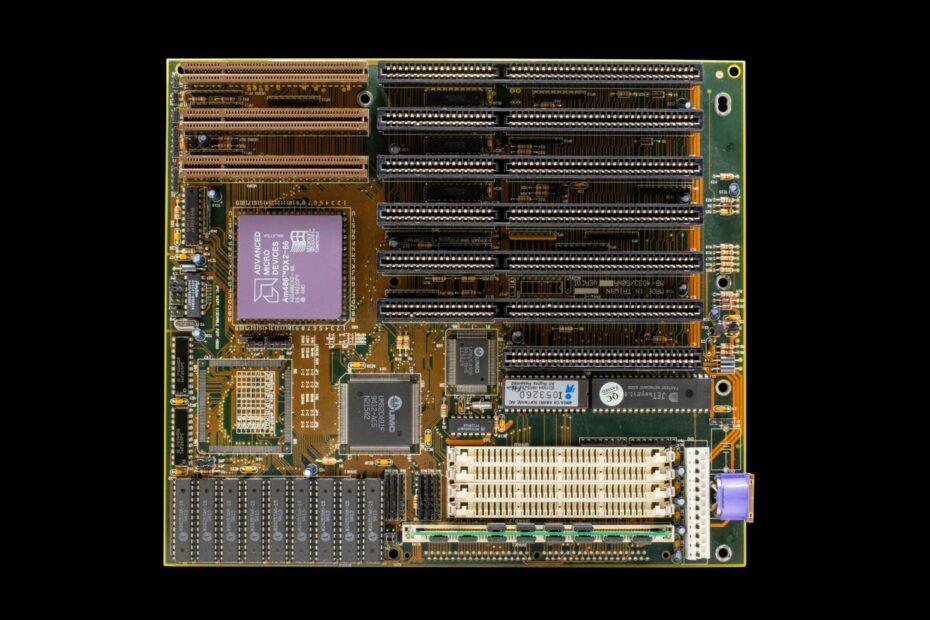
When assembling or upgrading a personal computer, attention often gravitates towards the central processing unit (CPU) and graphics card (GPU). However, a critical component that dictates system compatibility, performance, and future expandability is the motherboard chipset. Often overlooked by consumers, the chipset is the central nervous system of the motherboard, managing the flow of data between the CPU, memory, storage devices, and other peripherals.
Understanding the role and types of motherboard chipsets is essential for any builder or enthusiast looking to create a stable, high-performing, and future-proof system. The chipset acts as a traffic controller, determining what components your motherboard can communicate with and how efficiently that communication occurs. It comprises one or more integrated circuits that facilitate these vital connections.
The Core Function of a Chipset
At its heart, a chipset's primary responsibility is to manage data flow. Historically, chipsets were divided into two main components: the Northbridge and the Southbridge. The Northbridge, often located closer to the CPU socket, handled high-speed communication. This included direct connections to the CPU, RAM, and the graphics card slot (like PCI Express). The Southbridge managed slower I/O (Input/Output) functions, such as SATA ports for storage, USB ports, audio, and networking.
In modern motherboard designs, particularly with the integration of memory controllers and PCI Express lanes directly into the CPU, the Northbridge has largely been integrated into the CPU itself or the remaining chipset component. This simplification has led to what is often referred to as a Platform Controller Hub (PCH) on Intel systems or simply the chipset on AMD platforms. Regardless of the terminology, its function remains: to enable communication between the CPU and the rest of the system's components.
Key Features Determined by the Chipset
The specific chipset installed on a motherboard dictates several crucial aspects of your PC's capabilities:
- CPU Compatibility: Chipsets are designed for specific CPU sockets and generations. A chipset for an Intel Core i9 processor will not work with an AMD Ryzen CPU, and often not even with an older generation of Intel processors.
- RAM Support: The chipset, in conjunction with the CPU, determines the type (DDR4, DDR5), speed, and maximum capacity of RAM your system can support.
- Expansion Slots: The number and type of PCI Express (PCIe) lanes provided by the chipset influence how many expansion cards (like GPUs, sound cards, or capture cards) you can install and their operating speed.
- Storage Options: Chipsets manage the number and speed of SATA ports for traditional hard drives and SSDs, as well as support for newer NVMe SSDs via M.2 slots.
- Connectivity: Features like USB port versions and quantities, integrated Wi-Fi, Ethernet speeds, and audio codecs are often determined by the chipset.
- Overclocking Capabilities: Certain chipsets are designed with enthusiasts in mind, offering advanced features and robust power delivery necessary for overclocking the CPU and RAM.
Understanding Chipset Naming Conventions
Manufacturers like Intel and AMD use alphanumeric naming schemes to denote their chipsets, often indicating their feature set and target market. For example, Intel's Z-series (e.g., Z790) typically represents their flagship, enthusiast-grade chipsets offering extensive features and overclocking support. B-series (e.g., B760) usually targets the mainstream market, providing a good balance of features and price. H-series (e.g., H710) often signifies budget-oriented options with more limited capabilities.
AMD's X-series (e.g., X670E) often aligns with high-end desktop (HEDT) and enthusiast platforms, offering robust features and overclocking. B-series (e.g., B650) targets the mainstream, providing a solid feature set for most users. A-series (e.g., A620) usually represents entry-level chipsets with essential functionality.
How to Choose the Right Chipset
Selecting the appropriate motherboard chipsets involves aligning its capabilities with your intended use and budget:
- For Gaming and High Performance: Look for enthusiast-grade chipsets (Intel Z-series, AMD X-series) that support CPU and RAM overclocking, offer ample PCIe lanes for multiple high-speed devices, and provide robust connectivity.
- For General Productivity and Mainstream Use: Mainstream chipsets (Intel B-series/H-series, AMD B-series) offer a good balance of features, sufficient connectivity for most users, and often support the latest CPU generations without the premium price of enthusiast models.
- For Budget Builds: Entry-level chipsets (Intel H-series, AMD A-series) provide the fundamental features needed for a functional PC, suitable for basic tasks, office work, or as a foundation for a future upgrade.
Always verify CPU compatibility with the specific motherboard and chipset. Manufacturers provide compatibility lists on their websites. The chipset is not merely a collection of chips; it is the foundation upon which your CPU and all other components interact. Choosing wisely ensures your system performs optimally, remains stable, and offers the expansion capabilities you might need down the line.
Related reading
- How to Choose the Right CPU Cooler for Your Specific Processor and Case
- The Significance of Thermal Paste in CPU and GPU Cooling Efficiency