
Understanding the Need for Efficient Heat Transfer
Modern computers house powerful processors, the Central Processing Unit (CPU) and Graphics Processing Unit (GPU), which are responsible for handling complex calculations and rendering visuals. As these components work, they generate a considerable amount of heat. Inefficient heat dissipation can lead to performance degradation, system instability, and in severe cases, permanent hardware damage. Effective cooling is therefore paramount for maintaining optimal system operation and extending the lifespan of these critical parts. A key element in this cooling process, often overlooked by general users, is the application of thermal paste.
What is Thermal Paste and How Does it Work?
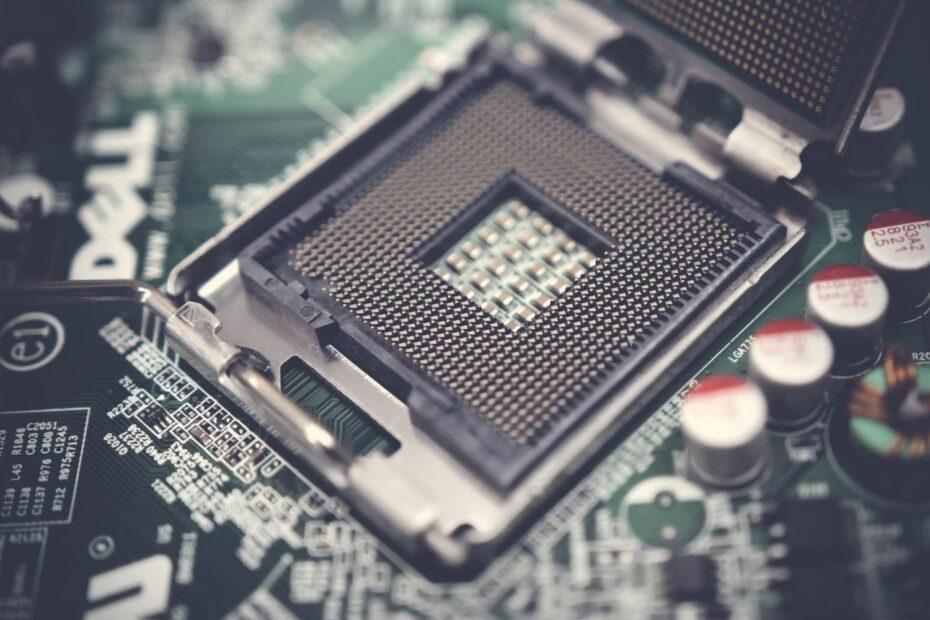
Thermal paste, also known as thermal compound or thermal grease, is a substance applied as a thin layer between a heat-generating component, such as a CPU or GPU, and its corresponding heatsink. The surfaces of these components, even when appearing smooth to the naked eye, are microscopically uneven. These minute imperfections create air gaps when the heatsink is mounted directly onto the processor. Air is a poor conductor of heat, meaning these gaps significantly impede the transfer of heat away from the processor. Thermal paste is designed to fill these microscopic air gaps with a material that has much higher thermal conductivity than air. This allows heat to transfer more efficiently from the processor to the heatsink, which then dissipates the heat into the surrounding environment, often with the aid of a fan or liquid cooling system.
The Role of Thermal Paste in CPU Cooling
The CPU is the brain of your computer, performing most of the processing tasks. During intensive operations like gaming, video editing, or running complex simulations, the CPU's temperature can rise rapidly. Without adequate thermal management, the CPU may resort to thermal throttling, a protective mechanism where it deliberately slows itself down to reduce heat output. This directly impacts performance, leading to stuttering, lag, and reduced responsiveness. Proper application of quality thermal paste ensures that heat is efficiently conducted from the CPU's integrated heat spreader (IHS) to the CPU cooler. This consistent and efficient heat transfer allows the CPU to operate at its intended clock speeds for longer periods, maintaining peak performance and system stability. For users building or upgrading PCs, correctly applying thermal paste is a fundamental step in ensuring their chosen CPU cooler can perform its job effectively.
The Impact of Thermal Paste on GPU Cooling
Similarly, the GPU is responsible for all graphical computations, making it essential for gaming, 3D rendering, and video playback. GPUs are often the hottest components in a computer system due to their high transistor density and intense workload. A graphics card typically features a substantial heatsink and fan assembly designed specifically for its GPU. The thermal paste acts as the crucial interface between the GPU die and this cooler. Just as with CPUs, poor heat transfer can cause GPUs to throttle their performance, resulting in lower frame rates in games, graphical glitches, or crashes. In extreme cases, prolonged overheating can lead to premature failure of the GPU. Ensuring a good thermal interface with fresh, high-quality thermal paste is vital for a graphics card to deliver its full performance potential and maintain reliability.
Choosing and Applying Thermal Paste
The market offers a variety of thermal pastes, differing in composition (e.g., ceramic, metal, carbon-based) and thermal conductivity ratings. While high-end pastes may offer marginal improvements, even standard, reputable brands provide a significant benefit over no paste or dried-out paste. When installing a new CPU or GPU cooler, or when replacing an existing one, it is good practice to clean off the old paste from both the component and the cooler's contact plate using isopropyl alcohol. A small, pea-sized amount of new thermal paste is typically applied to the center of the CPU or GPU die before mounting the heatsink. The pressure from the heatsink will then spread the paste evenly. Proper application ensures that the thermal paste effectively bridges the microscopic gaps and maximizes cooling efficiency, contributing to a healthier and more performant computer system.
Related reading