
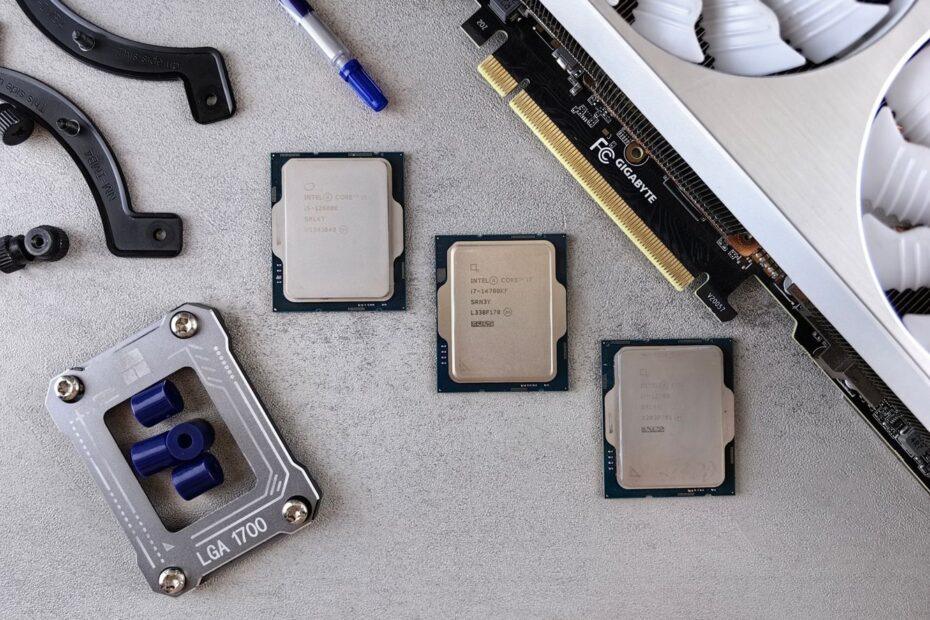
Understanding Your Processor's Cooling Needs
The central processing unit (CPU) is the brain of your computer, and like any high-performance component, it generates heat. Effective heat dissipation is not merely about preventing thermal throttling, which reduces performance to protect the chip, but also about ensuring the long-term health and stability of your system. The amount of heat a CPU produces is quantified by its Thermal Design Power (TDP), typically measured in watts. While TDP is a guideline, higher-end processors, especially those designed for overclocking, will often exceed their rated TDP under heavy load. Therefore, choosing a CPU cooler that can comfortably handle your processor's typical and peak heat output is paramount.
Processors vary significantly in their heat output. A low-power, entry-level CPU might only require a basic stock cooler or a small aftermarket air cooler. In contrast, a high-core-count, enthusiast-grade CPU, or one intended for overclocking, will demand a much more robust cooling solution. Overlooking this fundamental aspect can lead to a system that runs hot, performs inconsistently, and potentially shortens the lifespan of your expensive processor.
Types of CPU Coolers: Air vs. Liquid
When selecting a CPU cooler, you will primarily encounter two main types: air coolers and liquid coolers (often referred to as All-In-One or AIO coolers). Air coolers are the traditional choice, utilizing a heatsink with fins and one or more fans to draw heat away from the CPU and dissipate it into the case. They are generally more affordable, easier to install, and offer excellent reliability due to fewer moving parts. Their effectiveness varies greatly with size and fan quality, with larger, multi-tower designs capable of cooling even the most demanding CPUs.
Liquid coolers offer a different approach. They use a water block that attaches to the CPU, a pump (often integrated into the water block), tubing, a radiator, and fans. The liquid circulates, carrying heat from the CPU to the radiator, where it is dissipated by the fans. Liquid coolers often provide superior cooling performance, especially for high-TDP processors and overclocked systems, and can offer a cleaner aesthetic within the case by moving the radiator and fans away from the CPU socket. However, they are typically more expensive, require more complex installation, and introduce more potential points of failure, such as pump malfunctions or leaks.
Compatibility Checks: Socket, RAM, and Case Clearance
The most critical aspect of choosing a CPU cooler is ensuring it is physically compatible with your motherboard and computer case. First, verify that the cooler supports your CPU's socket type (e.g., LGA 1700 for Intel, AM5 for AMD). Most aftermarket coolers come with mounting hardware for multiple sockets, but it's essential to confirm. Second, consider RAM clearance. Large air coolers, with their substantial heatsinks and fans, can sometimes overhang RAM slots, preventing taller memory modules from being installed. Check the cooler's specifications for RAM clearance dimensions and compare them with your motherboard's layout and your RAM height.
Finally, case clearance is a non-negotiable factor. Computer cases have a maximum CPU cooler height limit for air coolers and radiator mounting options for liquid coolers. An air cooler that is too tall will not fit inside the case, and a radiator that is too large or mounted in an incompatible location will prevent the case from closing or interfere with other components. Always consult your case's specifications for CPU cooler height clearance and radiator support before making a purchase.
Installation and Maintenance Considerations
The installation process for CPU coolers can range from straightforward to moderately complex, depending on the type and model. Stock coolers are usually the easiest, often featuring push-pins or simple clip mechanisms. Aftermarket air coolers typically involve a mounting bracket system, thermal paste application, and securing the heatsink. Liquid coolers require mounting the water block, installing the radiator and fans, and connecting power. Reading reviews and watching installation guides for specific models can provide insight into the difficulty.
Maintenance is generally minimal for both types. Air coolers may require occasional dusting of the heatsink fins and fans to maintain optimal airflow. Liquid coolers benefit from periodic checks of fan operation and ensuring no dust buildup on the radiator. While leaks are rare with reputable AIOs, understanding the warranty and support offered by the manufacturer is a wise precaution.
Related reading
- Navigating the Maze of Motherboard Chipsets: Finding the Right Foundation for Your CPU
- Cooling Your Components: Air vs. Liquid Cooling Solutions for Optimal PC Temperatures