
When selecting components for a computer, storage is a critical consideration. Two primary technologies dominate the market: Solid State Drives (SSDs) and Hard Disk Drives (HDDs). While both fulfill the essential function of retaining digital information, their operational principles, performance characteristics, and economic factors differ substantially. Understanding these distinctions is key to making an informed decision that aligns with your specific computing needs, whether for a personal desktop, a professional workstation, or a portable laptop.
Understanding the Core Technologies
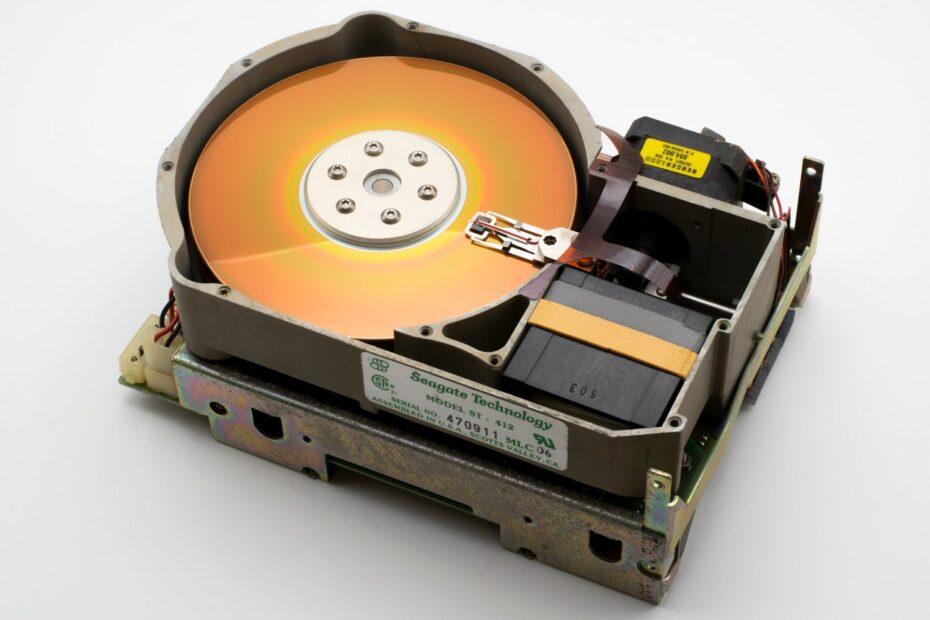
At their heart, Hard Disk Drives (HDDs) are mechanical devices. They store data on spinning magnetic platters, accessed by a read/write head that moves across the surface. This mechanical nature, while effective for high capacities at a lower cost, introduces inherent limitations in terms of speed and susceptibility to physical shock. In contrast, Solid State Drives (SSDs) utilize flash memory chips, similar to those found in USB drives and smartphones. They have no moving parts, which allows for near-instantaneous data access and significantly greater durability.
Speed and Performance: The SSD Advantage
The most pronounced difference between Solid State Drives vs Hard Disk Drives lies in their speed. SSDs offer dramatically faster read and write speeds because data can be accessed directly from any memory location without mechanical movement. This translates to quicker boot times for operating systems, faster application loading, and more responsive file transfers. For tasks involving large files or frequent data access, such as video editing, gaming, or complex data analysis, the performance uplift provided by an SSD can be transformative. HDDs, bound by the physical rotation of platters and the movement of the read/write head, are considerably slower in comparison.
Capacity and Cost: The HDD's Traditional Strength
Historically, Hard Disk Drives have held the advantage in terms of cost per gigabyte. This makes them an attractive option for users who require vast amounts of storage for media archives, extensive game libraries, or large datasets, and where speed is a secondary concern. While SSD capacities have grown significantly and prices have decreased, very large-capacity SSDs can still be considerably more expensive than their HDD counterparts. However, the gap is narrowing, and for many common use cases, the price difference may no longer be a prohibitive factor. Many users opt for a hybrid approach: an SSD for the operating system and frequently used applications, and an HDD for bulk storage.
Durability and Reliability
The absence of moving parts makes SSDs inherently more robust and less prone to failure from physical impact or vibration than HDDs. This is a significant advantage for laptops and other portable devices that are more likely to be subjected to movement and potential drops. While SSDs do have a finite number of write cycles for their flash memory cells, modern SSDs are designed with wear-leveling technology and have endurance ratings that far exceed the typical lifespan for most consumer usage. HDDs, while generally reliable for stationary use, can be more susceptible to data loss if subjected to shock while operating or even when idle.
Power Consumption and Noise
SSDs consume less power than HDDs, which can contribute to longer battery life in laptops and slightly reduced energy bills for desktops. Furthermore, because they have no spinning platters or moving heads, SSDs operate silently. HDDs, with their mechanical components, produce audible spinning and clicking sounds, which can be noticeable in a quiet environment.
Choosing the Right Drive for Your Needs
The decision between Solid State Drives vs Hard Disk Drives often comes down to balancing performance, capacity, and budget. For a primary drive that hosts your operating system and applications, an SSD is almost always the superior choice, offering a vastly improved user experience through speed and responsiveness. If your primary need is to store large amounts of data where access speed is less critical, an HDD remains a cost-effective solution. For users seeking the best of both worlds, a configuration that includes both an SSD for system files and an HDD for bulk storage provides an optimal balance of speed, capacity, and value.
Related reading
- The Evolution of USB Ports: From Slow Data Transfer to High-Speed Connectivity
- The Evolution of Optical Drives: From CD-ROMs to Blu-ray and Beyond
- Understanding the Basics of RAID Configurations for Storage Systems