
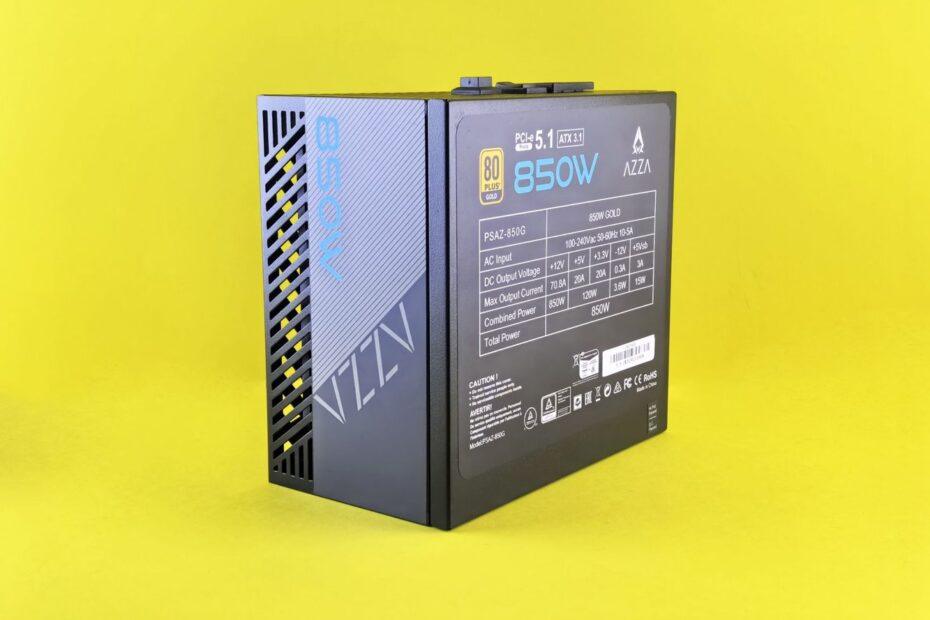
Building or upgrading a personal computer can seem daunting, especially when faced with a tangle of wires and unfamiliar connectors. At the heart of every functional PC lies a reliable power supply unit (PSU) and a system of cabling that delivers electricity to all the critical components. Understanding the basics of computer power connectors and cabling is fundamental for anyone looking to assemble a new machine, troubleshoot issues, or simply gain a deeper appreciation for how their computer operates.
The power supply unit is responsible for converting the alternating current (AC) from your wall outlet into the direct current (DC) voltages required by your computer's internal components. This DC power is then distributed through a series of cables, each terminating in a specific connector designed to interface with particular parts of the motherboard, graphics card, storage devices, and other peripherals. The variety of connectors can appear confusing, but they are engineered for specific roles to ensure stable and efficient power delivery.
Motherboard Power Connectors
The motherboard is the central hub of any computer, and it requires the most substantial and stable power. Modern motherboards typically feature two primary power connectors:
- 24-pin ATX Connector: This is the main power connector for the motherboard. It provides a wide range of voltages (+3.3V, +5V, +12V, and -12V, plus standby voltage) to various motherboard components, including the CPU, RAM slots, chipset, and expansion slots. The 24-pin connector is a standard found on virtually all ATX-compliant power supplies and motherboards manufactured in the last decade or more.
- 4-pin or 8-pin EPS Connector (CPU Power): While the 24-pin ATX connector supplies general power, the CPU often requires a dedicated, more robust power connection. This is where the EPS (Entry-Level Power Supply Specification) connector comes in. A 4-pin or, more commonly now, an 8-pin (often referred to as 4+4 pin) connector directly supplies clean, stable power to the CPU. High-performance processors, especially those designed for overclocking, demand this dedicated power line to prevent performance throttling or system instability.
The excerpt from Wikipedia notes that "Power connectors, which receive electrical power from the computer power supply and distribute it to the CPU, chipset, main memory, and expansion cards." This highlights the crucial role these connectors play in ensuring all essential components receive the necessary electrical current to function.
Graphics Card Power Connectors
Modern dedicated graphics cards (GPUs) are among the most power-hungry components in a PC. To handle their significant power demands, they often require auxiliary power connectors directly from the PSU. These are typically:
- 6-pin or 8-pin PCIe Connectors: These connectors are specifically designed for PCI Express graphics cards. A standard PCIe slot on the motherboard can supply up to 75 watts of power. However, high-performance GPUs often exceed this limit, necessitating these additional connectors. A 6-pin connector can deliver up to 75 watts, and an 8-pin connector can deliver up to 150 watts. Many high-end cards will feature two or even three of these connectors, demanding a PSU capable of supplying sufficient wattage and the correct cabling.
Storage and Peripheral Connectors
Beyond the motherboard and graphics card, other components also require power, though generally less than the primary components:
- SATA Power Connector: This is the standard connector used for SATA (Serial ATA) hard drives, solid-state drives (SSDs), and optical drives. It's a flat, L-shaped connector that is easy to identify and plug in.
- Molex Connector: An older, but still sometimes present, 4-pin connector historically used for hard drives, optical drives, and case fans. While SATA power has largely replaced it for storage, Molex connectors can still be found on some PSUs for legacy devices or specific fan hubs.
Ensuring you have the right PSU with the necessary connectors is vital when building a PC. Mismatched or insufficient connectors can lead to a system that won't boot, experiences instability, or fails to perform optimally. Always consult your motherboard and graphics card specifications to determine their power requirements and the types of connectors needed.
As computing technology advances, power demands and connector standards may evolve. However, understanding these foundational computer power connectors and cabling principles provides a solid base for navigating the hardware landscape now and in the future.